
Buying robots for your school is exciting right up until you realise there are dozens of options and no straightforward way to compare them. Marketing materials make everything sound transformative. Reviews online are usually written by people who have used one product, not several. And the price difference between a class set of Bee-Bots and a class set of Lego Spike is roughly the same as a teaching assistant for a term.
This guide compares the most common educational robots used in UK schools. We use all of them in our workshops, so this is based on real classroom experience, not spec sheets.
Bee-Bot and Blue-Bot (EYFS to Year 2)
Price: Bee-Bot approximately £80 each. Blue-Bot approximately £100 each. Class packs available.
What they do: Programmable floor robots that move in steps. Children press directional buttons (forward, back, left turn, right turn) to create a sequence, then press GO. Bee-Bot is the simpler version. Blue-Bot adds Bluetooth connectivity so it can be programmed from a tablet app.
Strengths: Brilliant for EYFS and KS1. No screen time required with Bee-Bot. Children can physically see the result of their algorithm. The mats (alphabet, number line, maps) link to other subjects. Almost indestructible. Genuinely intuitive for four-year-olds.
Limitations: Children outgrow them by Year 3 at the latest. The programming is purely sequential: no loops, no conditionals, no variables. If you only have two or three, group work management becomes tricky.
Best for: Schools wanting a reliable, low-maintenance introduction to coding in Reception and KS1.
Ozobot (Year 2 to Year 6)
Price: Approximately £70–£90 per robot. Class packs reduce the per-unit cost.
What they do: Tiny robots that follow lines drawn on paper, reading colour codes to change speed, direction, and behaviour. They can also be programmed using OzoBlockly, a visual block-based coding environment.
Strengths: The line-following mode is brilliant for transition from unplugged activities to screen-based coding. Children draw colour codes with markers, which feels creative rather than technical. OzoBlockly introduces proper programming concepts (loops, conditionals, functions). Small enough to store easily. Works on paper, whiteboards, or tablet screens.
Limitations: They are small. Very small. This is a strength for storage and a weakness for visibility. Children working on the carpet need to lean in. Marker quality matters: cheap felt tips cause read errors. Battery life is adequate but not generous.
Best for: Schools wanting a robot that bridges concrete and abstract coding across KS1 and KS2.
Sphero BOLT (Year 3 to Year 9)
Price: Approximately £150 per robot. Class packs of 15 available.
What they do: A programmable ball with an LED matrix, gyroscope, accelerometer, and light sensor. Programmed via the Sphero Edu app using blocks, JavaScript, or a visual drawing tool.
Strengths: Incredibly engaging. Children love controlling a ball that rolls, spins, changes colour, and responds to being picked up. The LED matrix allows creative output (displaying patterns, emojis, scrolling text). Multiple programming modes mean it grows with children from Year 3 blocks to Year 8 JavaScript. The sensors enable real data collection. Durable. Waterproof, which you would not think matters until a child drops one in a puddle.
Limitations: Needs a tablet or Chromebook per robot (or pair of robots). Requires decent floor space because they roll fast and far. The most common classroom problem: children spend 20 minutes making them zoom around and 10 minutes actually coding. Clear task structures help. Charging takes time if you have a full class set.
Best for: Schools with tablets or Chromebooks that want a single robot spanning KS2 and KS3 with genuine progression.

Lego Education SPIKE Essential and SPIKE Prime (Year 2 to Year 9)
Price: SPIKE Essential approximately £200 per set. SPIKE Prime approximately £300 per set.
What they do: Build-and-code kits. Children construct models from Lego bricks, connect motors and sensors, then programme them using a visual block-based environment (similar to Scratch). SPIKE Essential is for younger children. SPIKE Prime is for upper KS2 and KS3.
Strengths: The build-first approach engages children who are not drawn to screen-based coding. Every lesson produces a tangible creation. Sensors (colour, distance, force) introduce real-world input into programs. The curriculum resources from Lego Education are well-structured and save significant planning time. Children can iterate on their designs, rebuilding and reprogramming.
Limitations: Expensive. A class set of SPIKE Prime costs £4,500 or more. Build time can dominate sessions if not managed: children will happily spend an hour building and five minutes coding. Parts get lost. Inevitably. Some will end up in coat pockets. The software requires tablets or computers with specific operating system requirements.
Best for: Schools with budget for a premium product that integrates design technology and computing into one resource.
BBC micro:bit (Year 4 to Year 9)
Price: Approximately £15–£20 per board. Class sets of 30 cost around £500.
What they do: Not a robot, but a programmable microcontroller that belongs in this conversation. A small board with an LED display, buttons, accelerometer, compass, temperature sensor, light sensor, and Bluetooth. Programmed via MakeCode (blocks or JavaScript) or Python.
Strengths: Exceptional value. At £15 per board, every child can have one. The MakeCode editor is outstanding: blocks, JavaScript, and Python in one environment. Connects to external components (motors, servos, speakers, NeoPixels) so it scales from simple to genuinely complex projects. Massive community of free resources and lesson plans. Supported by the BBC and a wide ecosystem of accessories. Running a micro:bit lesson costs about the same as a packet of biscuits.
Limitations: It is a circuit board, not a robot. Children expecting something that moves will need motors and wheels attached, which adds cost and complexity. The LED display is a 5x5 grid, which limits visual output. Connecting to a computer via USB works reliably; Bluetooth pairing is occasionally temperamental. Not as immediately exciting as a rolling, driving, or flying robot.
Best for: Schools wanting maximum curriculum coverage per pound. Ideal for upper KS2 and KS3 computing.

VEX GO (Year 3 to Year 6)
Price: Approximately £250 per kit.
What they do: A construction and coding kit designed specifically for primary schools. Children build models from snap-together pieces (no screws or small parts) and code them using VEXcode GO, a block-based environment.
Strengths: The pieces are designed for small hands and snap together firmly. No tools needed. The builds are satisfying and sturdy. Curriculum resources are provided. Good introduction to mechanical concepts (gears, levers, pulleys) alongside coding. Pieces are larger than Lego, meaning fewer losses and easier management.
Limitations: Less well-known in the UK than Lego or micro:bit, so there’s a smaller community of teachers sharing resources. The build options are more limited than Lego SPIKE. The software is solid but not as polished as MakeCode. Higher per-unit cost than some alternatives.
Best for: Primary schools wanting a robust build-and-code system with less small-part management than Lego.
Which Should You Buy?
There is no single best robot. The right choice depends on your year groups, budget, existing equipment, and staff confidence. Here’s a quick decision framework:
- Tight budget, maximum curriculum coverage: micro:bit class set (£500)
- EYFS and KS1 focus: Bee-Bot or Blue-Bot
- KS2 and want engagement over complexity: Sphero BOLT
- KS2 and want design technology integration: Lego SPIKE Essential or VEX GO
- Bridging KS1 to KS2: Ozobot
- KS3 and want progression to text-based coding: micro:bit or Sphero (JavaScript mode)
Try Before You Buy
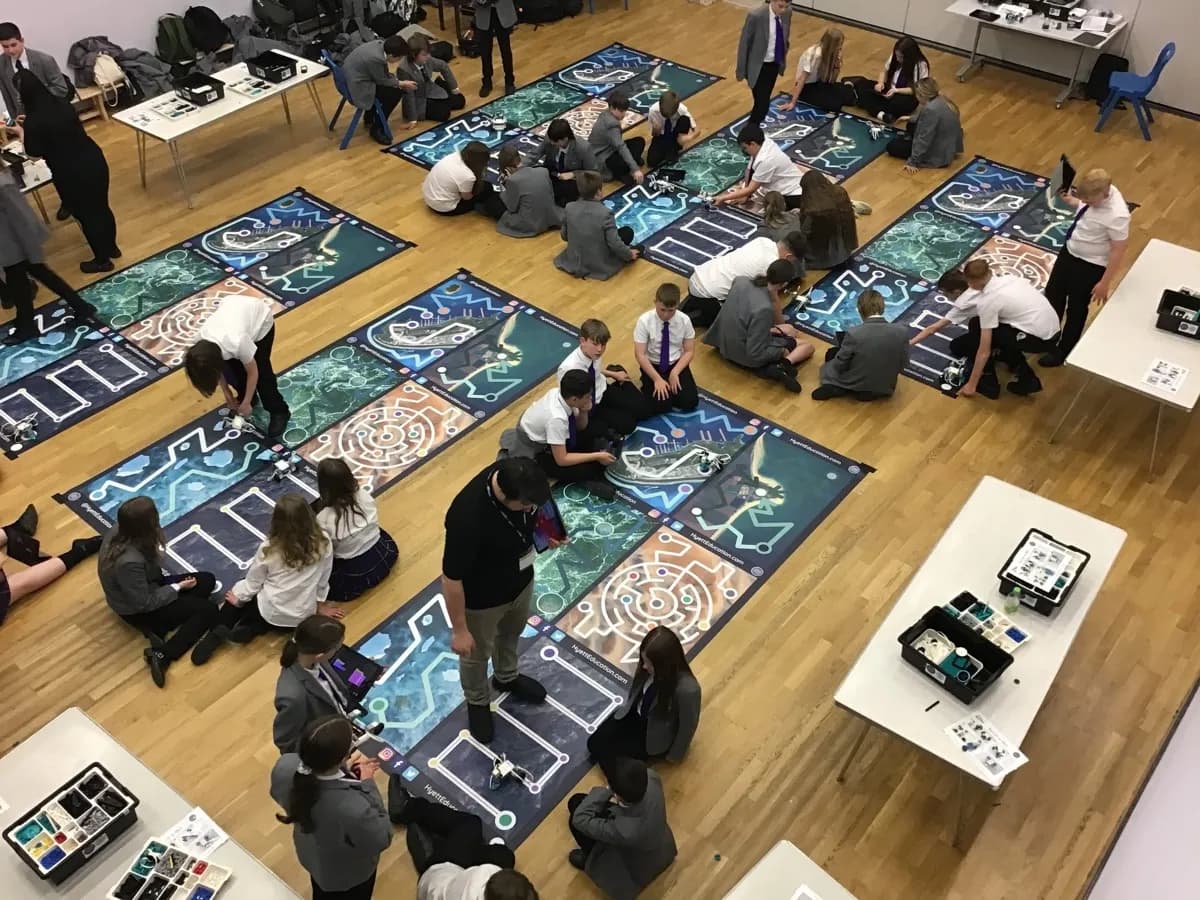
Before investing in a class set, consider booking a workshop. Our Beginner Stembotics and Intermediate Stembotics workshops let your children experience robotics and coding with professional equipment and expert instruction. It is the best way to see which type of robot engages your particular children before spending your budget. We bring everything, including the robots.
Frequently Asked Questions
What is the best robot for primary schools?
For EYFS and KS1, Bee-Bots and Blue-Bots are the gold standard: simple, robust, and curriculum-aligned. For KS2, LEGO Spike Essential and Spike Prime offer the best balance of capability and ease of use. Ozobot is a good budget option for upper KS1 and KS2.
How much do classroom robots cost?
Prices range widely: Bee-Bots start from around £80 each, Ozobots from £70, micro:bits from £15, LEGO Spike Essential sets from £250, and Spike Prime from £350. Class sets multiply these costs significantly. Consider our workshops as a try-before-you-buy option.
Can schools try robots before buying?
Yes. Booking a STEM workshop is an effective way to let students and teachers experience different robotics platforms before committing to a purchase. Hyett Education workshops use LEGO Spike Prime, Spike Essential, WeDo 2.0, and EV3, giving schools hands-on comparison time.