
Years 3 to 7
3D Design & CAD Printing Workshop
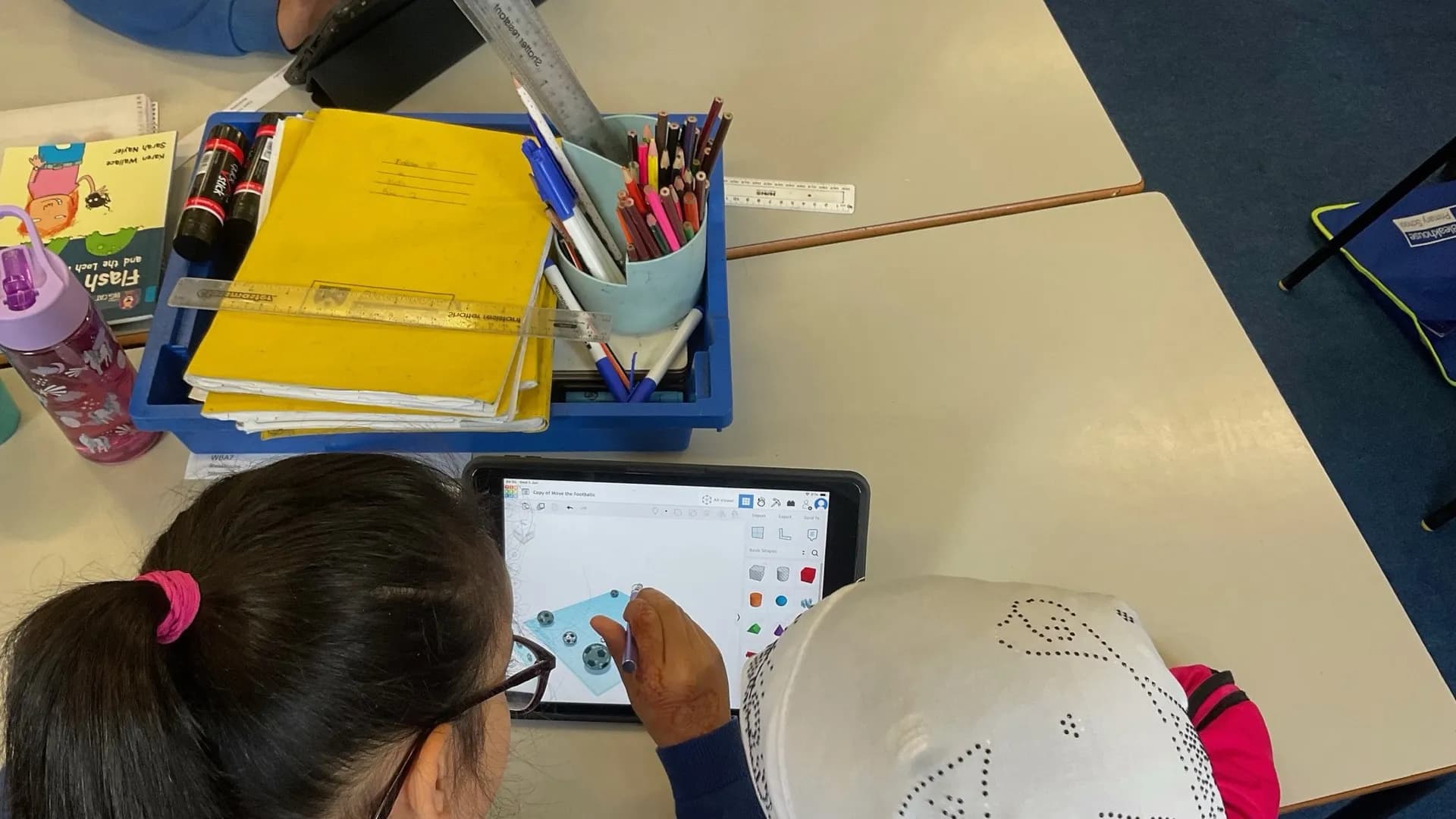
CAD design and 3D printing workshops combining digital creativity with physical manufacturing.
From £647 per day, excluding VATSee your exact price
 RAF STEM Education PartnerNamed on the RAF STEM Services Framework, 2023 to 2028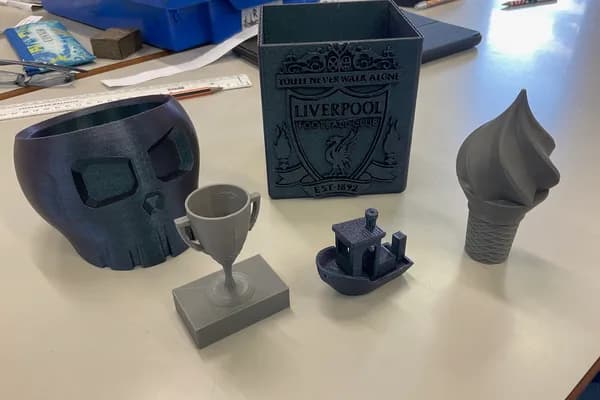
Workshop Formats
Choose Your Format
Choose the format that suits your school timetable. All formats include full setup and packdown by our team.
| Format | Sessions a day | Session length | Pupils per session | Pupils per day |
|---|---|---|---|---|
| In-Depth ExperienceTwo focused sessions for deeper exploration | 2 | 2 hours | 32 | 64 |
| Standard ExperienceThree sessions reaching more studentsTypical day shown below | 3 | 90 minutes | 32 | 96 |
Note: Up to 32 pupils per session and up to 96 pupils across the three-session Standard format. Reliable internet access is required.
Session Structure
Typical Workshop Day
Based on the Standard Experience format: 3 sessions of 90 minutes each. Exact times and breaks are agreed with the school.
| Stage | Activity |
|---|---|
| Before Session 1 | Hyett Education arrives and sets up the specialist workshop equipment in the space prepared by the school |
| Session 1 (90 minutes) | Class group 1 (up to 32 pupils) |
| Between Sessions 1 and 2 | Changeover or break, as agreed with the school |
| Session 2 (90 minutes) | Class group 2 (up to 32 pupils) |
| Between Sessions 2 and 3 | Changeover or break, as agreed with the school |
| Session 3 (90 minutes) | Class group 3 (up to 32 pupils) |
| After Session 3 | Hyett Education packs down its workshop equipment; the school retains its normal site and pupil-supervision duties |
What pupils learn
Learning outcomes
- Design 3D objects using CAD software
- Understand the 3D printing process
- Apply the design-make-evaluate cycle
- Develop spatial reasoning skills
- Create a physical product from a digital design
- Explore real-world applications of 3D printing
Curriculum links
These are relevant curriculum areas. Exact links depend on the cohort, delivery jurisdiction and booked format.
- Design & TechnologyCAD/CAM, design process, manufacturing
- ComputingDigital tools, 3D modelling software
- MathematicsMeasurement, geometry, spatial reasoning
Careers Framework
Gatsby Benchmark Alignment
This workshop can contribute to the following Gatsby Benchmarks within a school's wider careers programme.
Linking Curriculum Learning to Careers
Links design & technology and computing curriculum to careers in product design, engineering, manufacturing, and architecture where CAD and 3D printing are industry-standard tools.
Encounters with Employers and Employees
Applies only when an employer or employee joins a two-way encounter with pupils and the activity includes reflection. Partner branding or a themed workshop alone does not qualify.
The Gatsby Benchmarks are the national framework for good careers guidance and are referenced in statutory guidance for schools in England.
In the Classroom
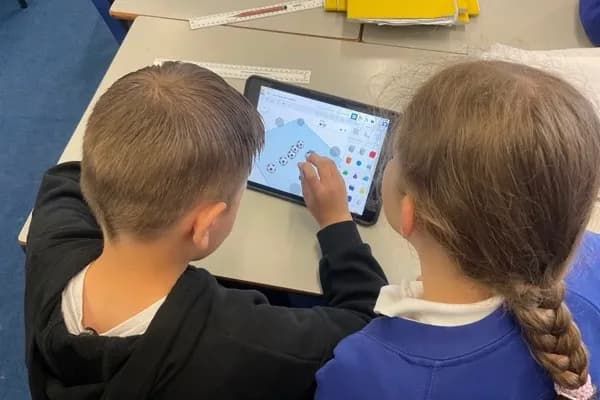
Workshop in Action
Inclusion and safety
Built for every learner, ready for your checks
Every learner can take part
Our instructors have extensive experience working across different school environments, including mainstream, SEND, SEMH, alternative provision, pupil referral units, and special schools.
Our SEND support approach (opens in a new tab)Risk assessment supplied
In-school delivery avoids off-site transport and its travel risk assessment. Hyett Education supplies the activity risk assessment, while the school retains its normal on-site duties and decides how its usual consent and family-information procedures apply.
Download the risk assessment (PDF)Enhanced DBS, continuously monitored
Every Hyett Education instructor holds an enhanced DBS certificate and is registered on the DBS Update Service. Your instructor's DBS details are shared in your secure booking portal once your booking is made.
Stretch and challenge
Schools can share the cohort profile in advance so the instructor can discuss suitable challenge, grouping and adjustments for the booked format.
Our teaching approach (opens in a new tab)
Read the full SEND and stretch notes
Our instructors have extensive experience working across different school environments, including mainstream, SEND, SEMH, alternative provision, pupil referral units, and special schools. Every activity is scaffolded and differentiated so that all learners can access the content, experience success, and develop confidence. We use adaptive teaching strategies, manage cognitive load carefully, and provide visual supports and learning mats. Schools can share specific needs in advance so we can plan accordingly. 3D design software provides a visual, creative environment where students can see their ideas take shape on screen before becoming physical objects. This design-to-manufacture process is highly motivating and accessible, with step-by-step tutorials and differentiated challenge levels.
Group sizes: Up to 32 pupils per session and up to 96 pupils across the three-session Standard format. Reliable internet access is required.
Workshop data identifies extension activities where they are available. Schools can share the cohort profile in advance so the instructor can discuss suitable challenge, grouping and adjustments for the booked format.
- Tiered challenges allow students to progress at their own pace, from guided tasks to independent problem-solving
- Higher-order thinking through debugging, optimisation, and creative design challenges
- Competition pathways: workshops build skills relevant to FIRST LEGO League, Raspberry Pi competitions, Cyber Discovery, and CREST Awards
- Career connections: students discover how workshop skills translate into real engineering, computing, and science careers
Schools can share information about gifted and talented cohorts in advance so our instructors can prepare targeted extension activities.
School Reviews
What Schools Say
Feedback from the teachers and staff was very positive. The children enjoyed their sessions and were all fully engaged in what they were doing.

3D Design & CAD Workshop
Thank you so much for visiting us last week. The workshops have been absolutely fantastic! Our pupils were completely engaged from start to finish, and it was such a joy to see them exploring their creativity through technology. The 3D Design Workshop was pitched perfectly for their age group, clear, accessible, and yet challenging enough to keep everyone motivated. The balance between learning new skills and having the freedom to experiment worked really well.

3D Design & CAD Workshop
Related Workshops
You Might Also Like
Electricity & Circuits Workshop
Hands-on experiments for Years 2 to 6. Simple series circuits support statutory Year 4 and Year 6 science; Year 2 conductivity is an enrichment application. The in-depth format includes eBook creation.
View workshopBeginner STEMbotics: Robotics & Coding
Inclusive robotics and coding workshop for KS1 and KS2 using LEGO Spike Essentials and LEGO WeDo 2.0. Children code with icon blocks or word blocks, and no reading ability is required.
View workshopIntermediate STEMbotics: Robotics & Coding
Intermediate robotics workshop for KS2 to KS3. Block-based programming with LEGO Spike Prime and EV3, advanced robot builds, sensors, and challenge mats.
View workshop