
Preparing your space
3D Design and Printing
What to have ready before we arrive.



At a glance
Your workshop at a glance
Recommended venue
Classroom
Year groups
Y3–Y7
Maximum students
Up to 32 per session
Sessions per day
2–3
What you'll provide
Setting up the space
Please have the room set up ready for our arrival.
- Space: A standard classroom, with students working in pairs at your usual desks. We bring laptops and run 3D printers live during the session. One side of the room becomes the printer zone, so please keep that area accessible, and open a window or have some airflow running while we print. Please make sure there are power sockets for our instructor station and dedicated sockets for the 3D printers.
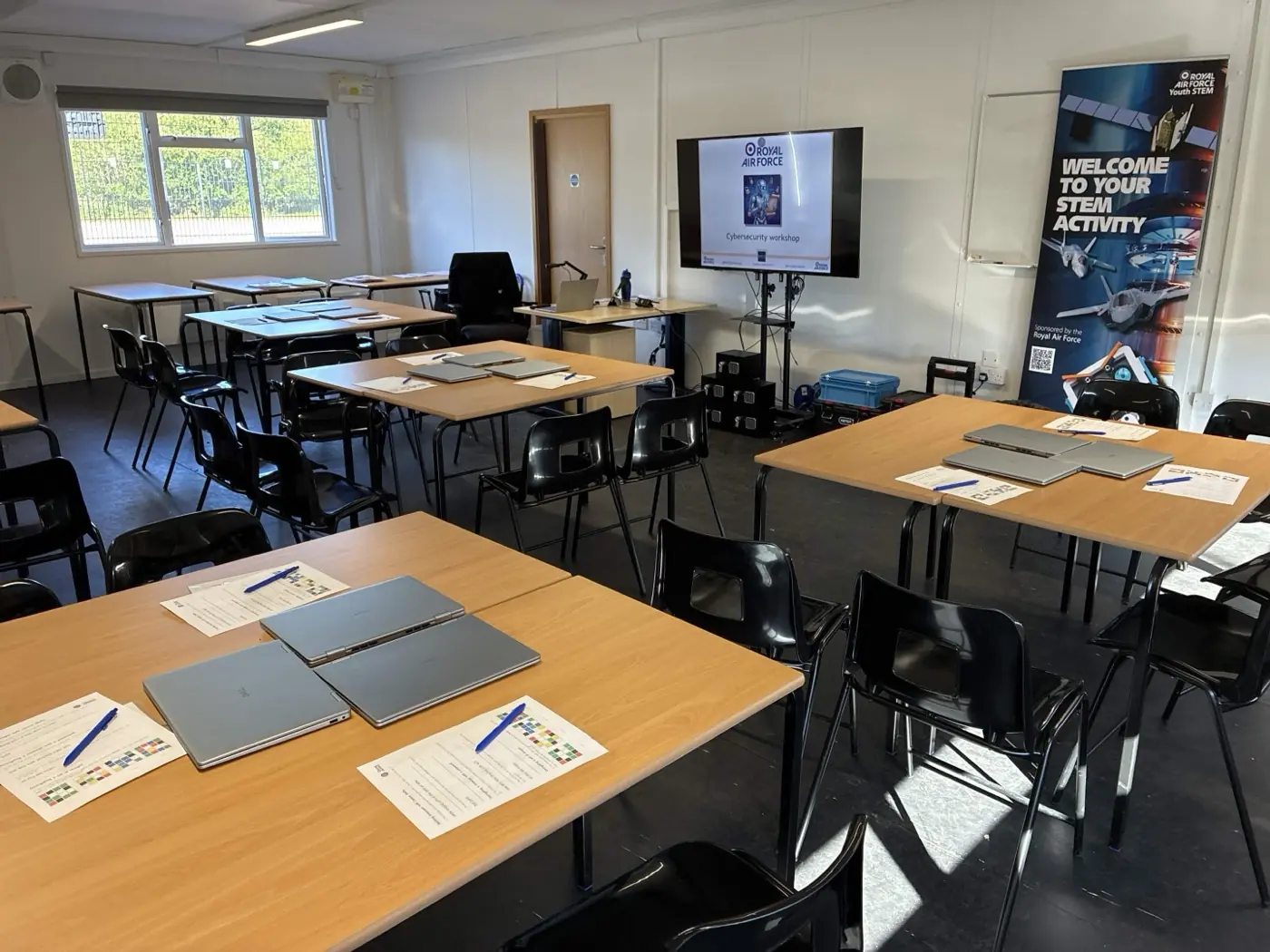
- Tables and chairs: The room set up ready for our arrival, with your standard classroom tables and a chair for each student. Students work in pairs, sharing a table between them. Our design software (Tinkercad) runs in the cloud, so please make sure the room has a working internet connection.
- For example: A typical session is 30 students working in 15 pairs, with a chair for each student.
- Screen or projector: A screen or projector for us to work from. We can bring our own on request.
- Parking: A reserved parking space as close as possible to the workshop space. Level access is strongly preferred for wheeling in the 3D printers.
What we'll bring
We handle the rest
Our instructor brings the specialist equipment and resources agreed for the booking; the school provides the setup listed below.
- Laptops and 3D printers for the session
- All printed pupil resources
- The written risk assessment for the workshop
- A screen or projector if you cannot provide one
On the day
Timings and access
- Arrival: We typically arrive at around 7.45am to be ready for a 9am start.
- Setup time: We need 60 minutes to set up at the start of the day. Please also allow 20 to 25 minutes before the first afternoon session if we have had to vacate the room during lunch.
- Between sessions: At least 5 minutes between sessions so we can reset the room for the next group.
Room layout examples
How other schools have set up
Real setups from previous deliveries. Yours does not need to match exactly.
Our policies
Documentation and safeguarding
- All Hyett Education staff have clear Enhanced DBS checks. It is our policy to carry our certificate and ID on every visit to a school.
- If you need any further documentation from us before the visit, please make the request at least 5 business days before the day of delivery.
- For any questions or support preparing for your workshop, contact Antony Hyett at antony@hyetteducation.com.
Downloads
Take this with you
Print or share these with your site team.