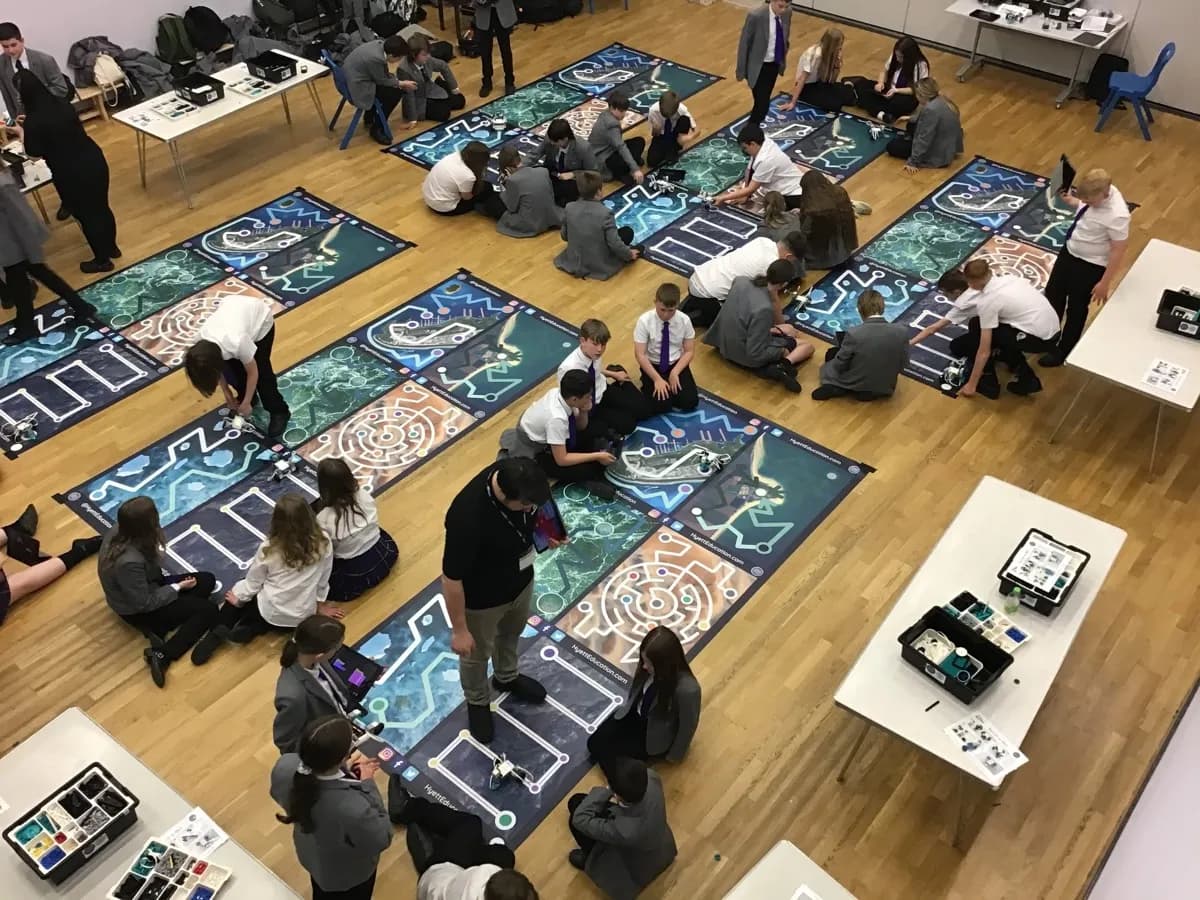
Choose a coding workshop by the problem you want pupils to solve and the programming they are ready to use. A year-group label helps you make a shortlist. It does not tell you whether the session builds on what your class already knows.
Before enquiring, write down one intended focus, such as explaining a sequence, using a sensor or moving from blocks to text. Then compare the activity, level of support and time available. That gives you a clearer brief than simply asking for a coding day.

Identify the starting point
Look at recent pupil work and ask your computing lead which concepts the class has already met. Can pupils explain their commands, predict what a program will do and correct an error? Which parts still need teacher support?
Share those observations with the provider. Avoid describing the whole class as beginners if some pupils already write and test programs independently. Equally, owning robotics kits does not establish that every pupil has used them.
For England, the DfE computing programme of study is the reference for curriculum expectations. Use your own sequence of learning to decide where a workshop belongs.
Match the workshop to a programming focus
Hyett Education's current robotics workshops offer different routes. The table below summarises the published equipment and year-group bands. It is a shortlist, not a prescribed sequence that every class must complete.
| Workshop | Current year groups | Programming and equipment |
|---|---|---|
| Beginner STEMbotics | Years 1 to 6 | Icon-based and word-block coding using LEGO Spike Essentials and WeDo 2.0 |
| Intermediate STEMbotics | Years 3 to 9 | Block-based programming using LEGO Spike Prime or EV3, with more complex builds and sensors |
| Advanced STEMbotics | Years 7 to 13 | Text-based Python programming using LEGO Spike Prime |
There is overlap in the eligible cohorts. A Year 6 class might need a supported introduction or a more demanding sensor-based task, depending on its experience. Describe that experience before choosing.
Hyett's Drone Coding workshop is another physical-computing option for Years 5 to 13. Its current programming route is block-based. Confirm the software and challenge for the booked cohort rather than assuming it includes Python.
Check what pupils will do themselves
Ask how much of the session pupils spend building, programming, testing and discussing their results. These activities serve different purposes. A longer build may support design work, while a shorter prepared build may leave more time for programming.
An illustrative programming challenge might ask pupils to change a motor's behaviour, test it and explain which instruction caused the change. A later task could introduce a sensor as an input. The exact workshop activity depends on the confirmed format; the example is a way to frame your question.
Ask what support pupils receive when an attempt fails. A useful response describes prompts, grouping or a simpler starting task rather than promising that every child will complete an identical product.

Choose a format with enough time for your focus
More pupils reached across a day usually means less time per group. Compare session length and pupils per session on the specific workshop page rather than applying the highest published total to every activity.
If your priority is a first experience for several classes, a shorter format may fit. If you want time for pupils to revise a build or explain a program in depth, discuss a longer session.
Tell the provider about class sizes, breaks, room access and staff supervision. Hyett brings the specialist equipment for the booked format. Your school provides the agreed suitable indoor space, tables, chairs and power. Confirm any other requirements before the visit.

Plan the lesson after the workshop
Choose a follow-up you can run with resources your school already has. Pupils could explain a familiar sequence, correct a short program or compare how two inputs affect an output.
Ask what files or resources are included in the confirmed booking. Do not build your follow-up around an assumed take-home kit, software account or resource pack.
Keep a short record of the intended focus, the task pupils attempted and what their explanations showed. That gives the computing lead something useful to build on without treating attendance as proof of attainment.
Make your enquiry specific
A clear enquiry names the year groups, pupil numbers, prior learning, intended programming focus and any support needs. Add preferred dates and the space available, then discuss the suitable workshop and format.
Start with the Digital Skills and Computing category or the robotics workshop guide. Use the Instant Quote tool for the chosen workshop and school postcode. The workshop supports a defined part of your provision; your school remains responsible for the wider curriculum.