
Classroom or hall: the room each workshop needs
A standard classroom holds up to 32 students per session, and most of our workshops run in one. Early Engineers Express, Advanced STEMbotics and Drone Coding need a hall. Three workshops take bigger groups in a hall, with limits that differ by year group.
From £597 per day, excluding VATSee your exact price
Last updated: October 2026
At a glance: room and group size by workshop
Select a workshop to jump to its photos and layout. Where the hall limit differs by year group, both figures are shown.
| Workshop | Years | Room | Max per session |
|---|---|---|---|
| Early Engineers Express | Nursery-Year 2 (ages 3-7) | Hall required | 30 students |
| Electricity & Circuits | Years 2-6 (ages 6-11) | Classroom or hall | 32 students in either room |
| Beginner STEMbotics | Years 1-6 (ages 5-11) | Classroom or hall | Classroom: 32 studentsHall: 32 students (KS1) or 60 (KS2) |
| Intermediate STEMbotics | Years 3-9 (ages 7-14) | Classroom or hall | Classroom: 32 studentsHall: 60 students (KS2, Y7) or 40 (Y8+) |
| Advanced STEMbotics | Years 7-13 (ages 11-18) | Hall required | 30 students |
| AI & Machine Learning | Years 4-11 (ages 8-16) | Classroom or hall | 32 students in either room |
| Drone Coding | Years 5-13 (ages 9-18) | Hall required | 30 students |
| Stop-Motion Animation | Years 1-6 (ages 5-11) | Classroom or hall | Classroom: 32 studentsHall: 32 students (KS1) or 45 (KS2) |
| Cybersecurity & Cryptography | Years 4-9 (ages 8-14) | Classroom or hall | 32 students in either room |
| 3D Design & Printing | Years 3-7 (ages 7-12) | Classroom | 32 students |
Room and group-size rules
A standard classroom comfortably holds up to 32 students per session and that is the cap for every classroom delivery. Some workshops scale higher when delivered in a hall, because more tables and floor space fit. The cards below show the maximum students per session for each workshop and room combination.
Hall-required workshops (Early Engineers Express, Advanced STEMbotics, Drone Coding) need the open floor space of a hall regardless of group size.
For larger cohorts than the per-session maximum, you book additional sessions across the day. Most schools cover a full year group with two or three sessions.
Setup by workshop
Photos and layout for each workshop. Where a workshop runs in a classroom or a hall, switch between the two.
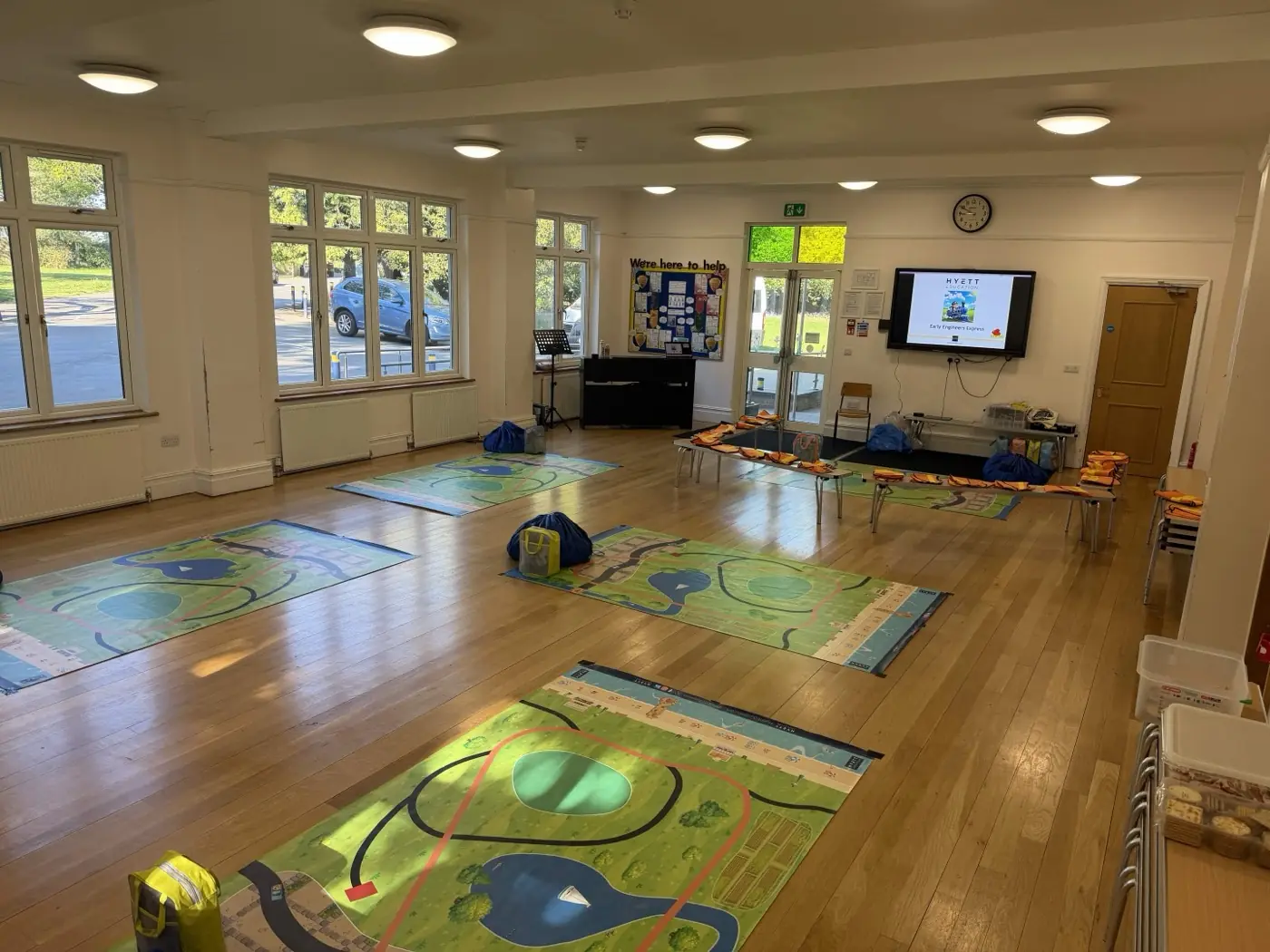
Small hall with benches and floor mats. Workshop slide on screen at the front.
Early Engineers Express
Nursery-Year 2 (ages 3-7)
- Room
- Hall required
- Max per session
- 30 students
Layout & what your school provides: Hall or large activity room required. Floor mats laid out as activity zones. Benches or low chairs around the front mat for students to gather. Screen or projector at the front.
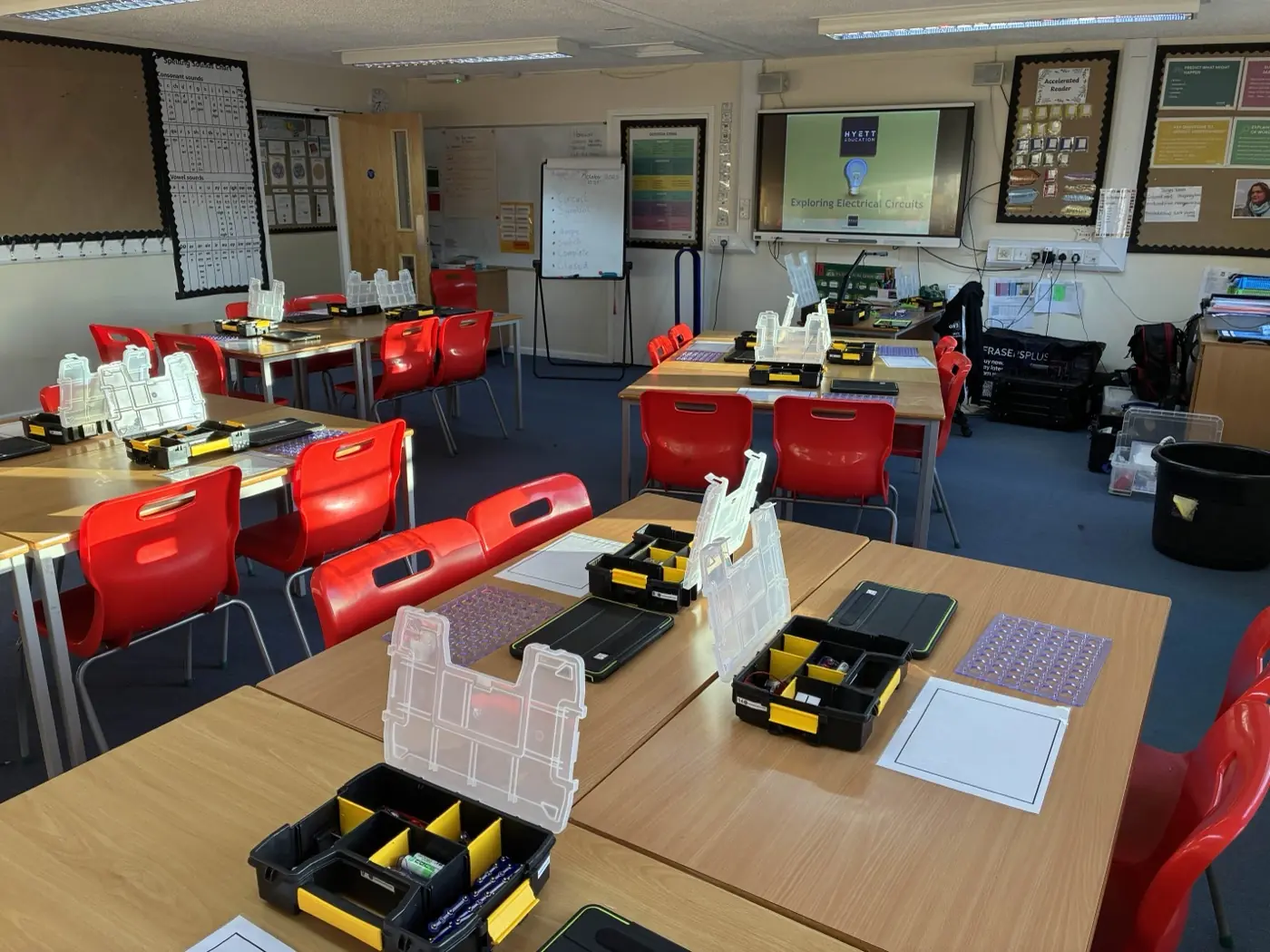
Desks in groups of four with circuits kits laid out at each station.
Electricity & Circuits
Years 2-6 (ages 6-11)
- Room
- Classroom
- Max per session
- 32 students
Layout & what your school provides: Projector, screen or interactive whiteboard at the front. Students working in pairs, with one kit per desk. Ensure space between tables for the instructor to circulate.
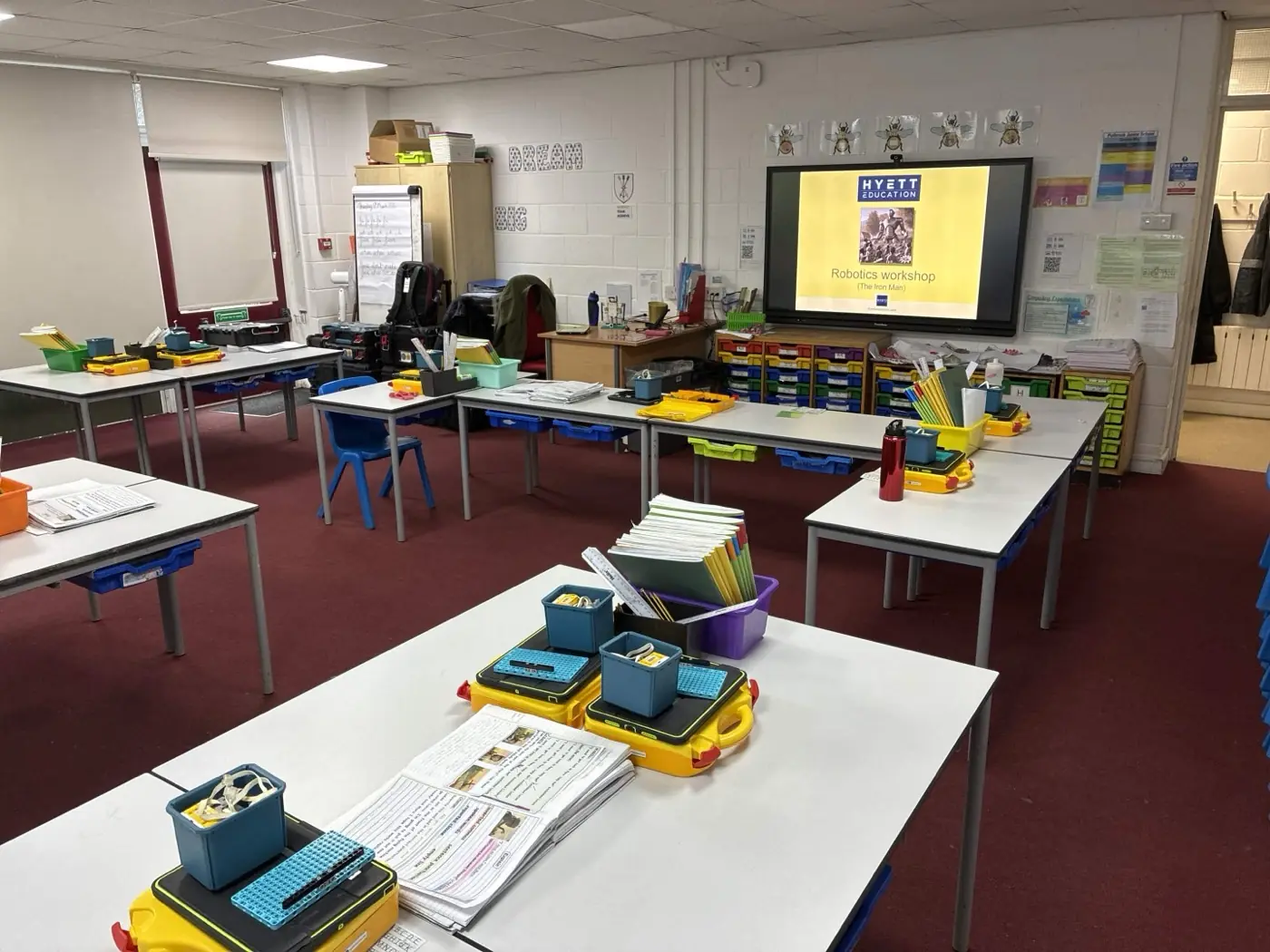
Desks in pairs, robotics kits on every desk.
Beginner STEMbotics
Years 1-6 (ages 5-11)
- Room
- Classroom
- Max per session
- 32 students
Layout & what your school provides: Desks in pairs (one desk per pair). Projector or screen at the front. Leave space for the instructor to circulate between pairs.
Desks in pairs with laptops paired to robotics kits.
Intermediate STEMbotics
Years 3-9 (ages 7-14)
- Room
- Classroom
- Max per session
- 32 students
Layout & what your school provides: Desks in pairs (one desk per pair). Projector or screen at the front. Suitable when one class is attending at a time. Best experience requires a hall.
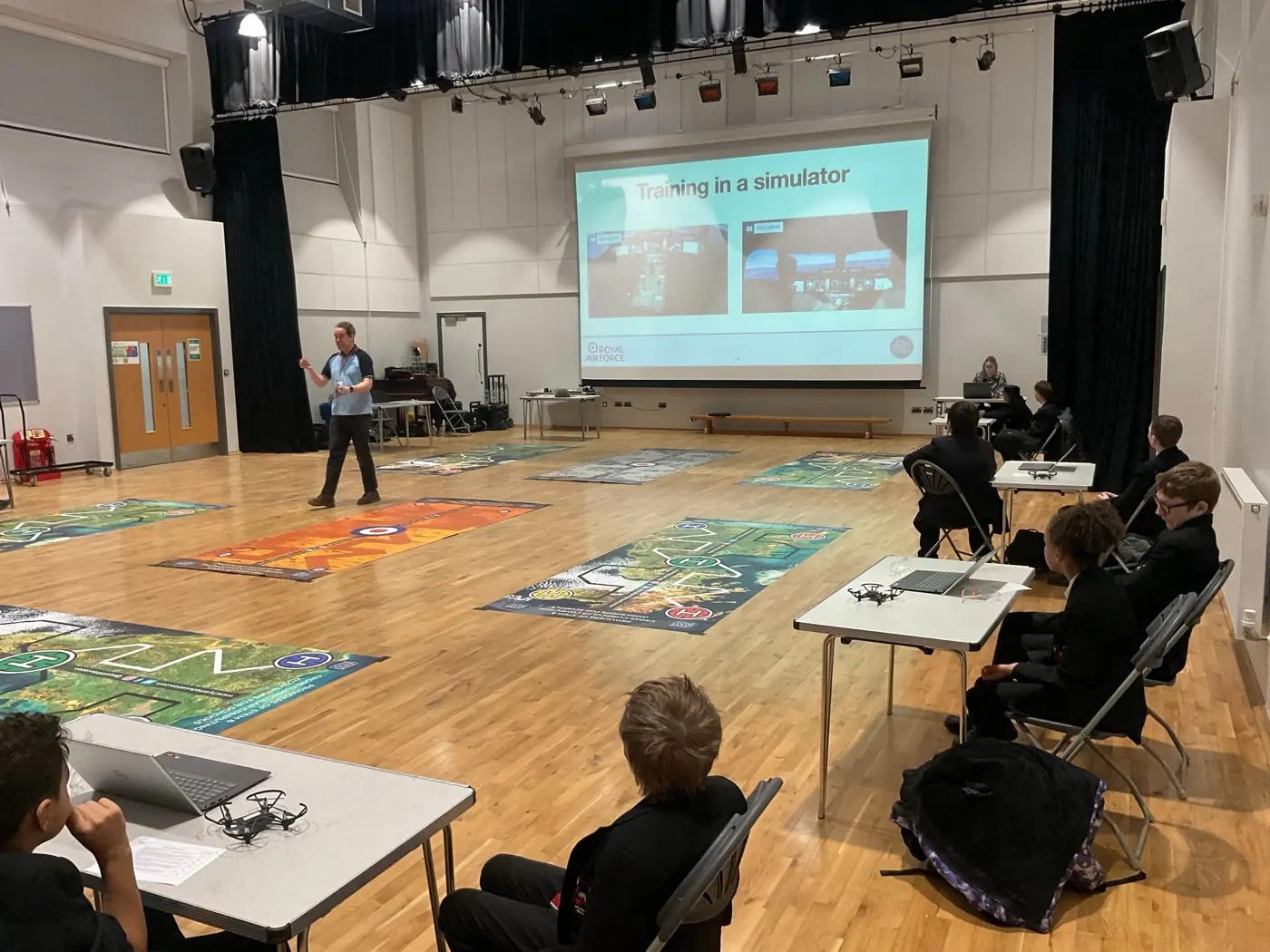
Tables in pairs around the perimeter, large central activity area.
Advanced STEMbotics
Years 7-13 (ages 11-18)
- Room
- Hall required
- Max per session
- 30 students
Layout & what your school provides: Tables in pairs around the perimeter (15 paired tables for 30 students). Large central activity area for testing builds. Projector at the front.
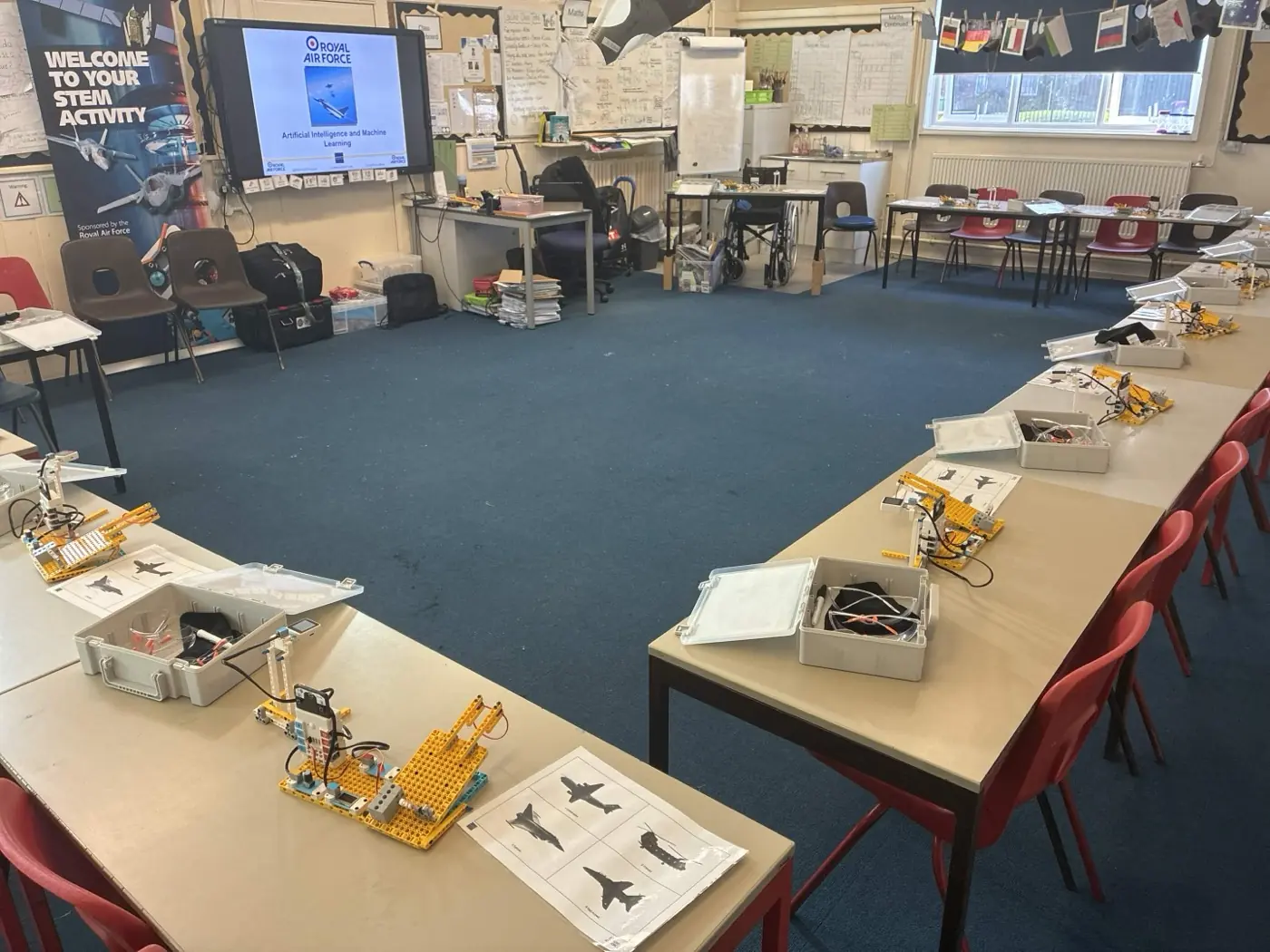
Desks in groups with AI workshop kit on every station.
AI & Machine Learning
Years 4-11 (ages 8-16)
- Room
- Classroom
- Max per session
- 32 students
Layout & what your school provides: One desk per pair (16 desks for 32 students), arranged around the perimeter of the room leaving a central space for flight launches. Projector or screen at the front.
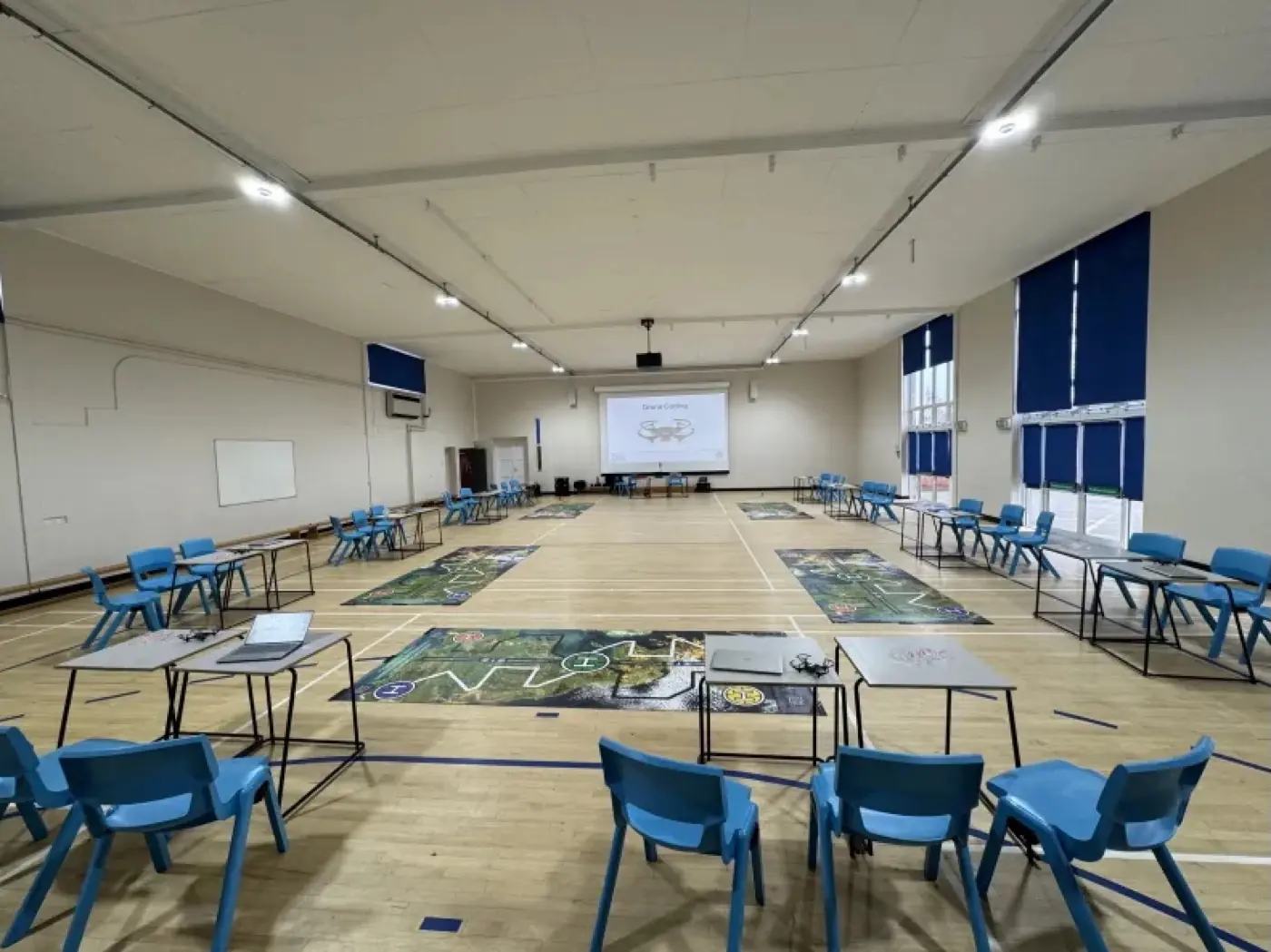
Exam tables around the perimeter, drone mats in the centre.
Drone Coding
Years 5-13 (ages 9-18)
- Room
- Hall required
- Max per session
- 30 students
Layout & what your school provides: Hall is essential so drones can fly safely away from desks. Exam or paired tables around the perimeter for laptops, or benches/chairs if tables are not available. Drone mats in the central activity area. Projector at the front.
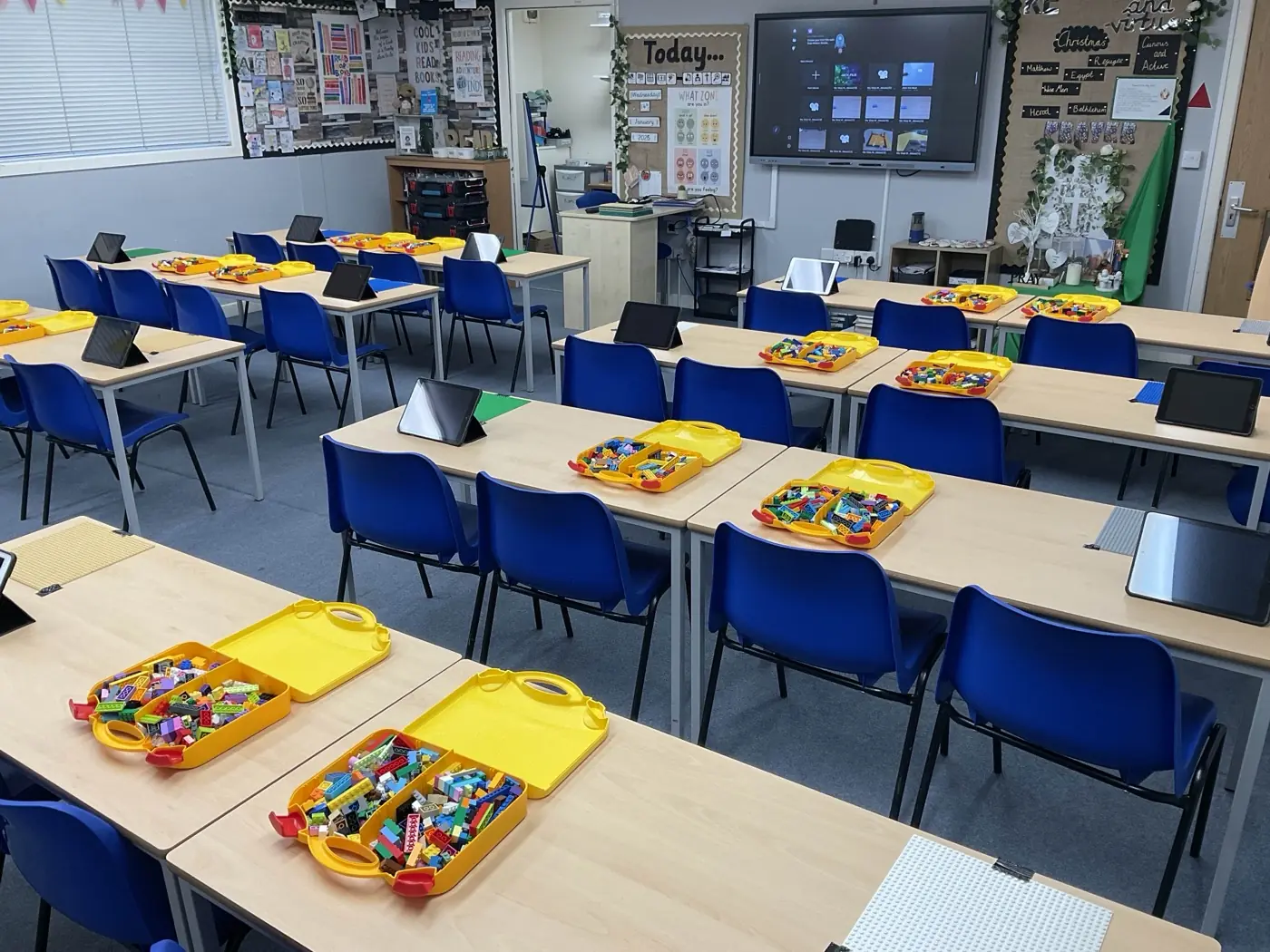
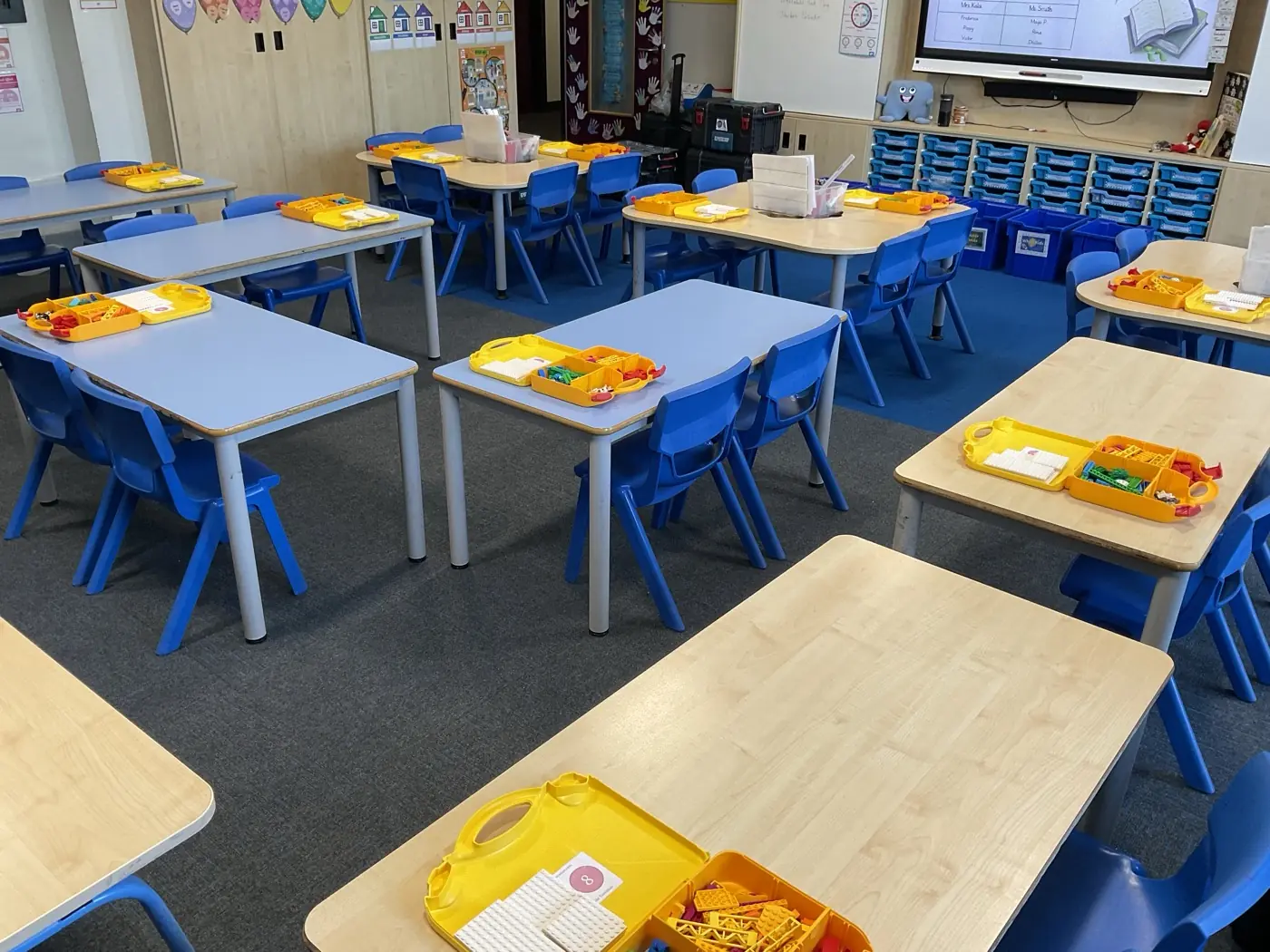
Desks in pairs with tablets and Lego trays on each desk.
Stop-Motion Animation
Years 1-6 (ages 5-11)
- Room
- Classroom
- Max per session
- 32 students
Layout & what your school provides: Desks in pairs or groups of four (one desk per pair). Projector or screen at the front.
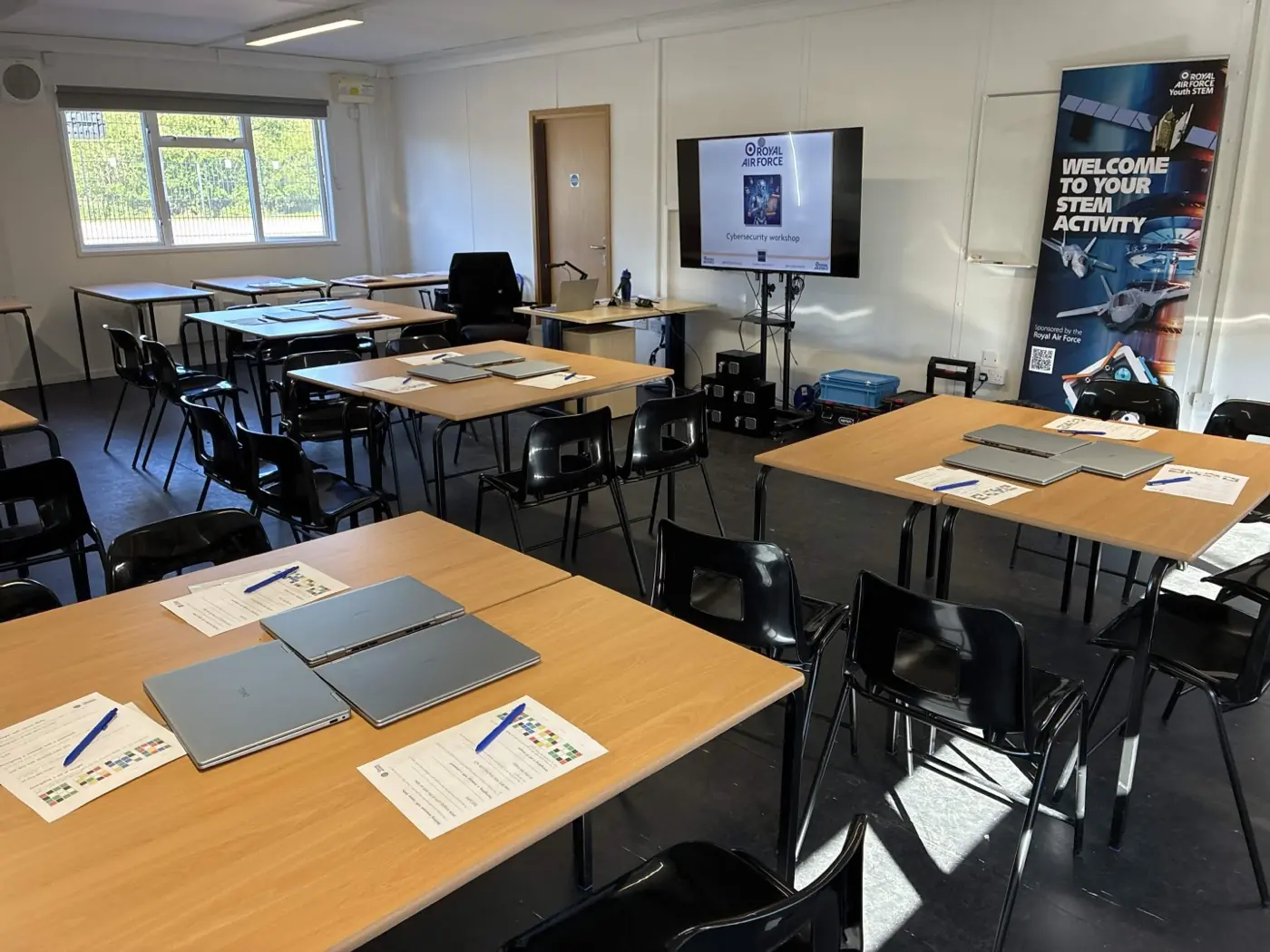
Desks in pairs with laptops on every desk.
Cybersecurity & Cryptography
Years 4-9 (ages 8-14)
- Room
- Classroom
- Max per session
- 32 students
Layout & what your school provides: Desks in pairs (one desk per pair, 16 desks for 32 students). Laptops provided by Hyett, one on each desk. Projector or screen at the front.
Representative laptop classroom. Same layout as Cybersecurity.
3D Design & Printing
Years 3-7 (ages 7-12)
- Room
- Classroom
- Max per session
- 32 students
Layout & what your school provides: Desks in pairs with laptops at each station. Projector or screen at the front. Internet access required. A desk and power socket at the front for the 3D printer.
What your school provides, what Hyett brings
Equipment, materials and room requirements depend on the format you book. We confirm the agreed split of responsibilities in your booking documentation.
What your school provides
- The agreed suitable indoor space for the booked format
- Tables and chairs in the agreed layout
- A projector, screen, or interactive whiteboard if available
- Access to power sockets near the working area
- Reliable internet access when the CAD workshop is booked
- A member of school staff in the room throughout the session
What Hyett brings
- Specialist equipment and materials specified for the booked format
- Workshop-specific risk assessments
- Every Hyett Education instructor holds an enhanced DBS certificate and is registered on the DBS Update Service. Your instructor's DBS details are shared in your secure booking portal once your booking is made.
- Pre-workshop liaison and a clear setup brief before the day
- Setup and pack-down inside the timetable we agree with you